- Demos
- TON demo
Requirements
- Access to Int3face node on int3-test-2
- TON testnet wallet
- TON-bridge repository
EQCgQY3KSzPEh-uAuERDX2rh5pea2B5TedRdoExsIU7m_IZ4
TON testnet wallet
- Create a wallet on TON testnet - https://wallet.ton.org/?testnet=true
- Request some tokens from the faucet - https://t.me/testgiver_ton_bot
- Save your wallet mnemonic
TON-bridge repository
This repository contains cli tool that allows to communicate with the bridge contract- Install Node.js v18
ts-node(install withnpm install ts-node)- Essential ton packages (install with
npm install @ton/ton @ton/crypto @ton/core) - Clone the repository
git clone https://github.com/Int3facechain/ton-bridge.git
Inbound Transfer
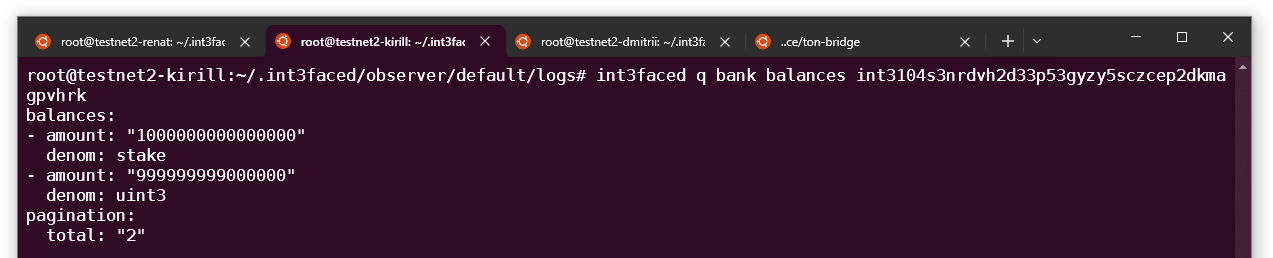
You should have at least 1.2 TON in your wallet- Create new wallet in Int3face or use existing wallet
int3104s3nrdvh2d33p53gyzy5sczcep2dkmagpvhrk
- Lets check current balance of our wallet
-
Go to the
ton-bridgefolder - Set env variables with the TON wallet mnemonic and version
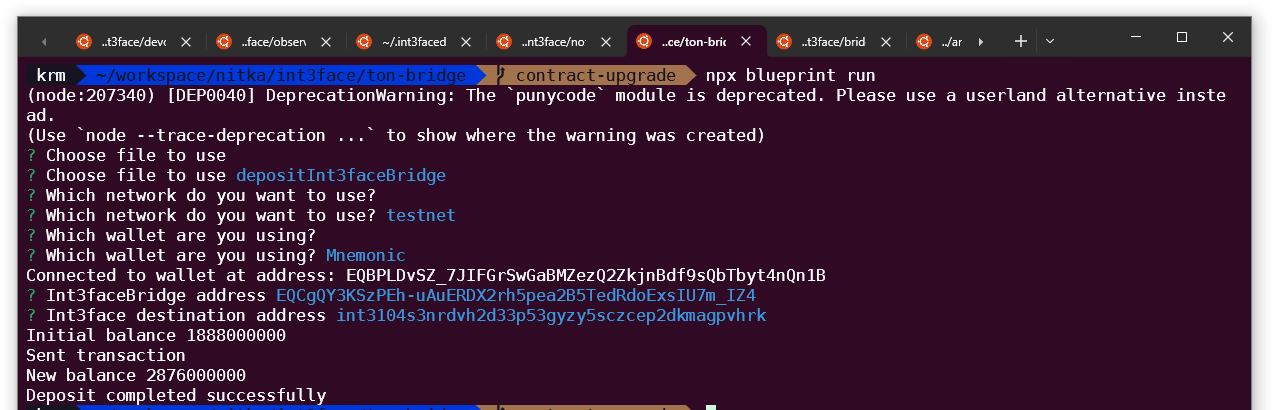
- Send deposit transaction to the TON bridge contract
- Select
depositInt3faceBridge - Select
testnet - Select
Mnemonic - Enter bridge address
EQCgQY3KSzPEh-uAuERDX2rh5pea2B5TedRdoExsIU7m_IZ4 - Enter Int3face destination address
int3104s3nrdvh2d33p53gyzy5sczcep2dkmagpvhrk - Wait for deposit completion
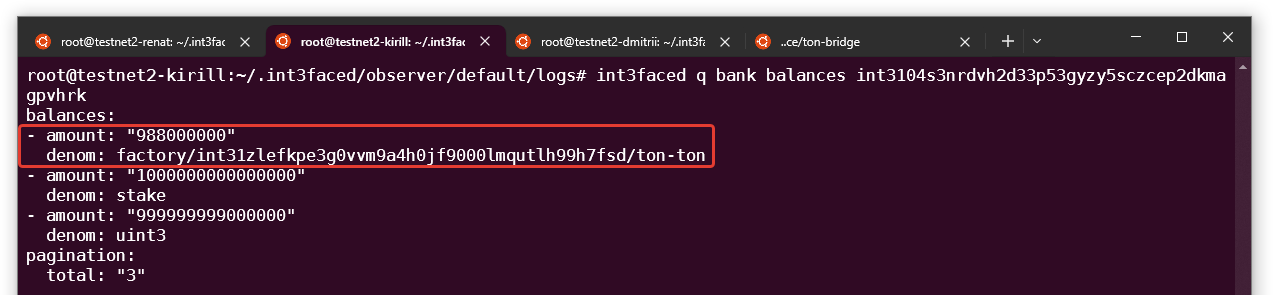
- Check your balance on the Int3face
Outbound Transfer
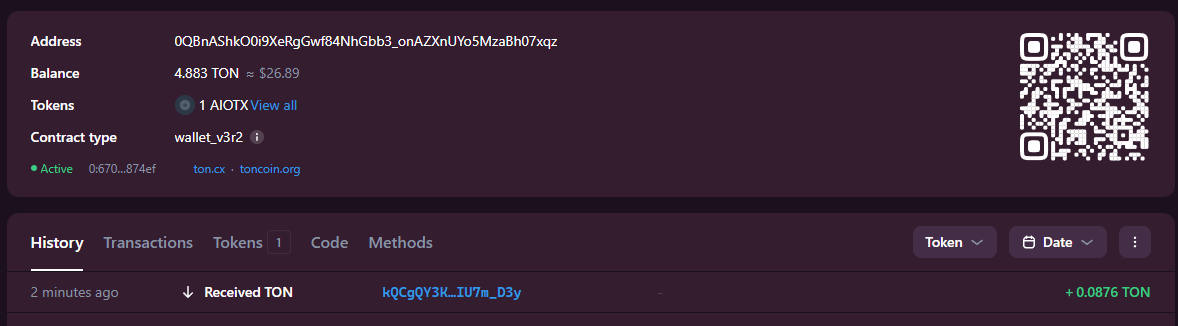
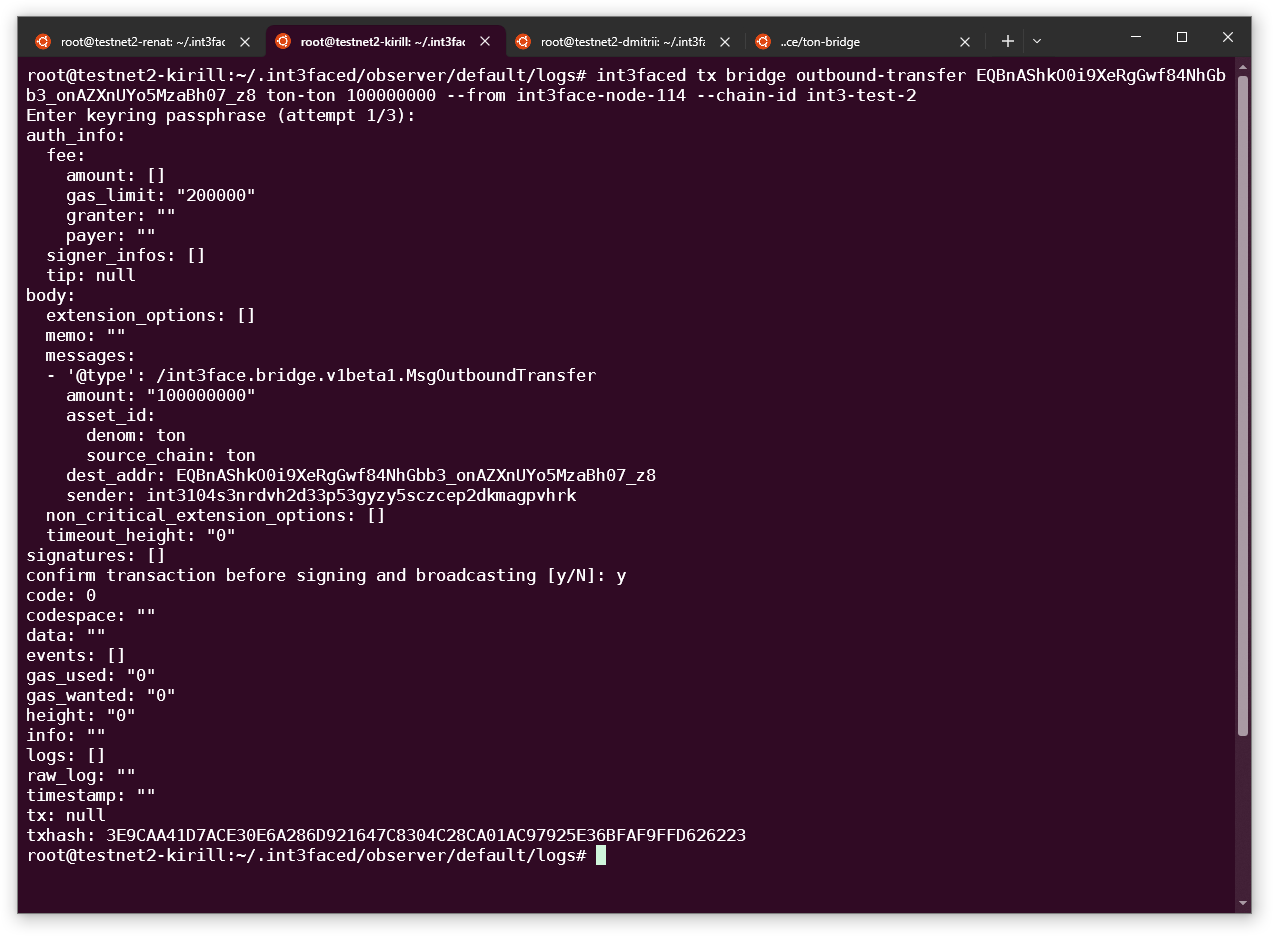
Lets send some TON tokens back to the TON chain. We will useEQBnAShkO0i9XeRgGwf84NhGbb3_onAZXnUYo5MzaBh07_z8 address as a recipient
- Execute outbound transfer request for the x/bridge
- Lets check that our tx is successful in the Int3face

- We can verify the transfer in the TON explorer