- Demos
- DOGE Demo
- Int3face node
- Int3face observer (configured for the DOGE regtest)
- DOGE regtest node
mtjLBcip4TAy7kSEsVoYKK5zvz1YY1Zy4F
Inbound Transfer
We will use our own DOGE validators funds.- We need an int3 address to send funds to
int3faced keys add "$your_key_name".  We will use the address
 int31nx72wqe9js9n0tvk9c2w4zwgwv6kecp0n4zllt
- Lets verify that this address doesn’t have DOGE tokens in the Int3face

- Select an UTXO to spend
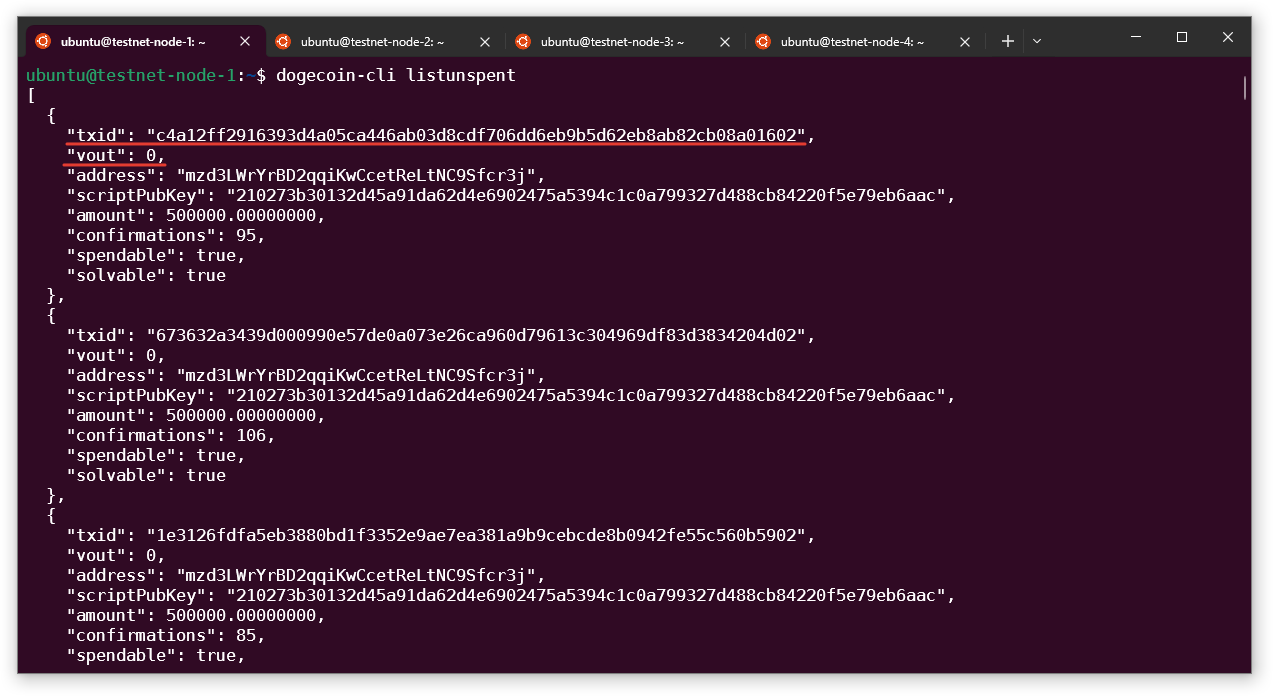
dogecoin-cli generate 1, and run listunspent command again.
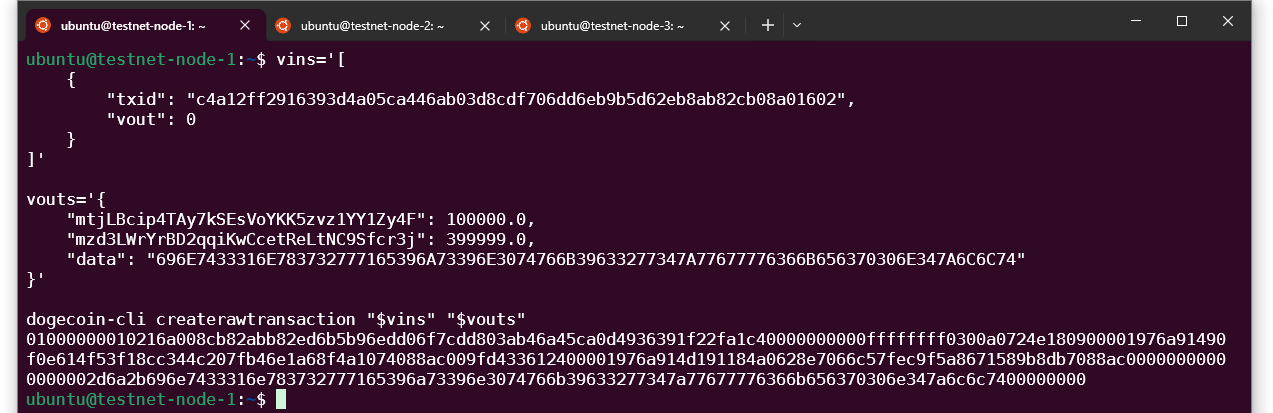
- Build raw transaction from the UTXO you selected
- Take the
txidandvoutfrom the UTXO you’re going to spend
- Add the DOGE vault address and the amount to send
- Add the change address to get remaining tokens back (to get address of your current node run
dogecoin-cli getaccountaddress "") - Leave a small amount of tokens to pay the fee (1.0 should be enough)
- Add
dataentry with the hex encoded recipient address- Encode
int31nx72wqe9js9n0tvk9c2w4zwgwv6kecp0n4zlltat the (online converter)[https://www.rapidtables.com/convert/number/ascii-to-hex.html]
- Encode
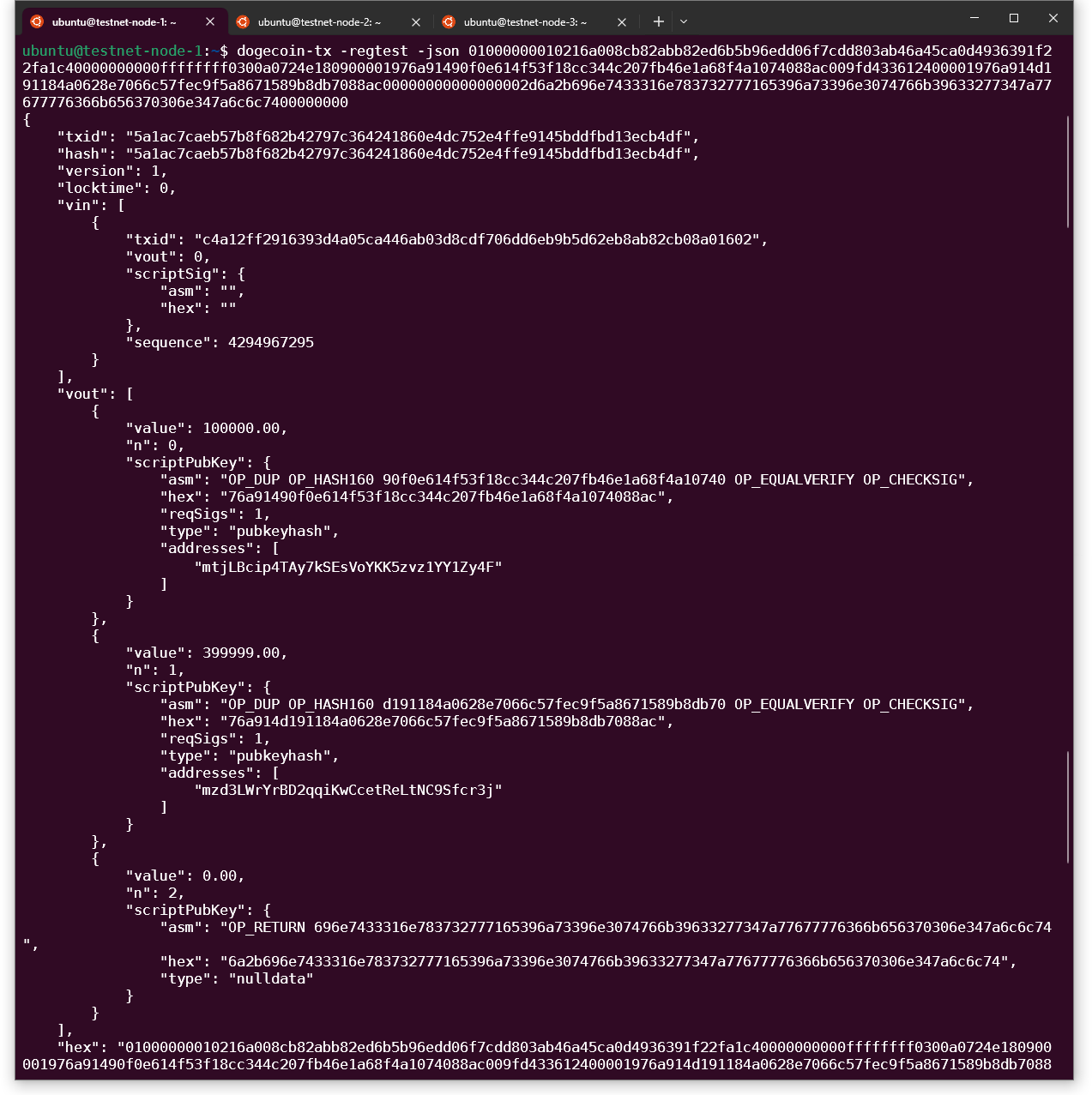
- We can verify that the transaction is correct
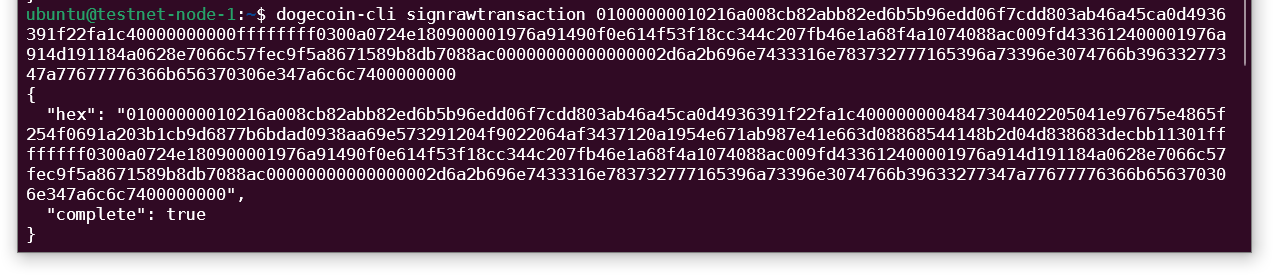
- Sign the transaction
- Broadcast signed transaction to the DOGE

- Generate a block to include our transaction in the chain
- Check your balance on the Int3face chain.
 Now, we can see DOGE tokens in our wallet.
Outbound Transfer
Lets send some of our tokens back from Int3face to DOGE.- Generate a new DOGE address
- Request an outbound transfer from the bridge module
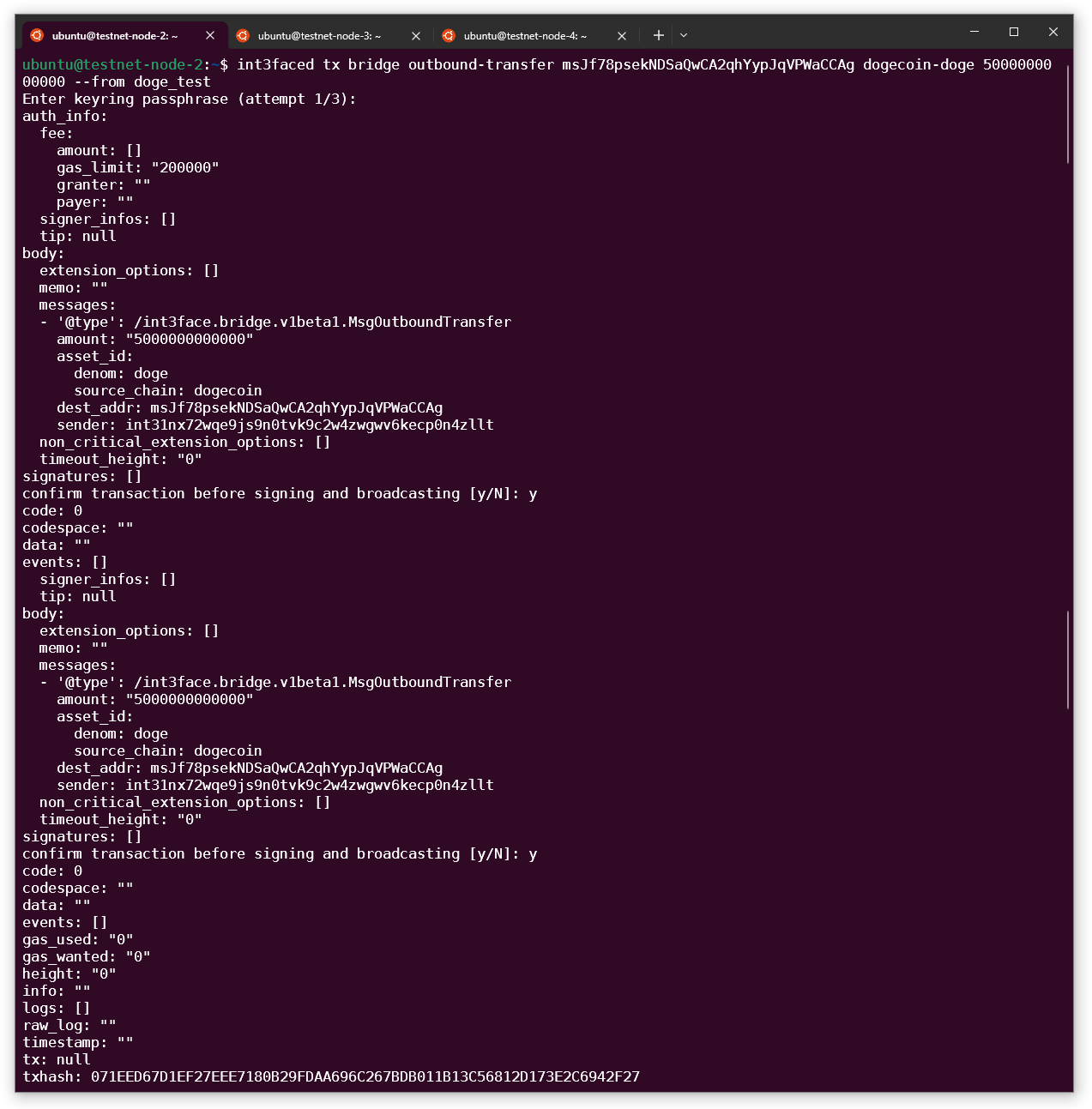
- We can check our balance again to see that DOGE tokens in Int3face were burt

- Generate a block in DOGE to include transaction from the vault
- Check DOGE balance of the address we created before
 Now, we can see DOGE tokens in our wallet.